Herf for cigar lounges
A platform made specifically for cigar lounges and lounge owners.
Easy-to-use technology for the heart and soul of the cigar lounge.
Members always know about the great events the lounge is having.
How it works
Three steps to a lounge that stays in the loop
-
Set up your lounge
Add your lounge details and your members.
-
Create events and offers
Post an event with RSVPs, or a special offer for your members.
-
Members hear about it
Members who opted in get an email, plus reminders before the event.
See it in action
From a new event to a full room
A real walkthrough on a phone, using a made-up lounge. Tap a step.
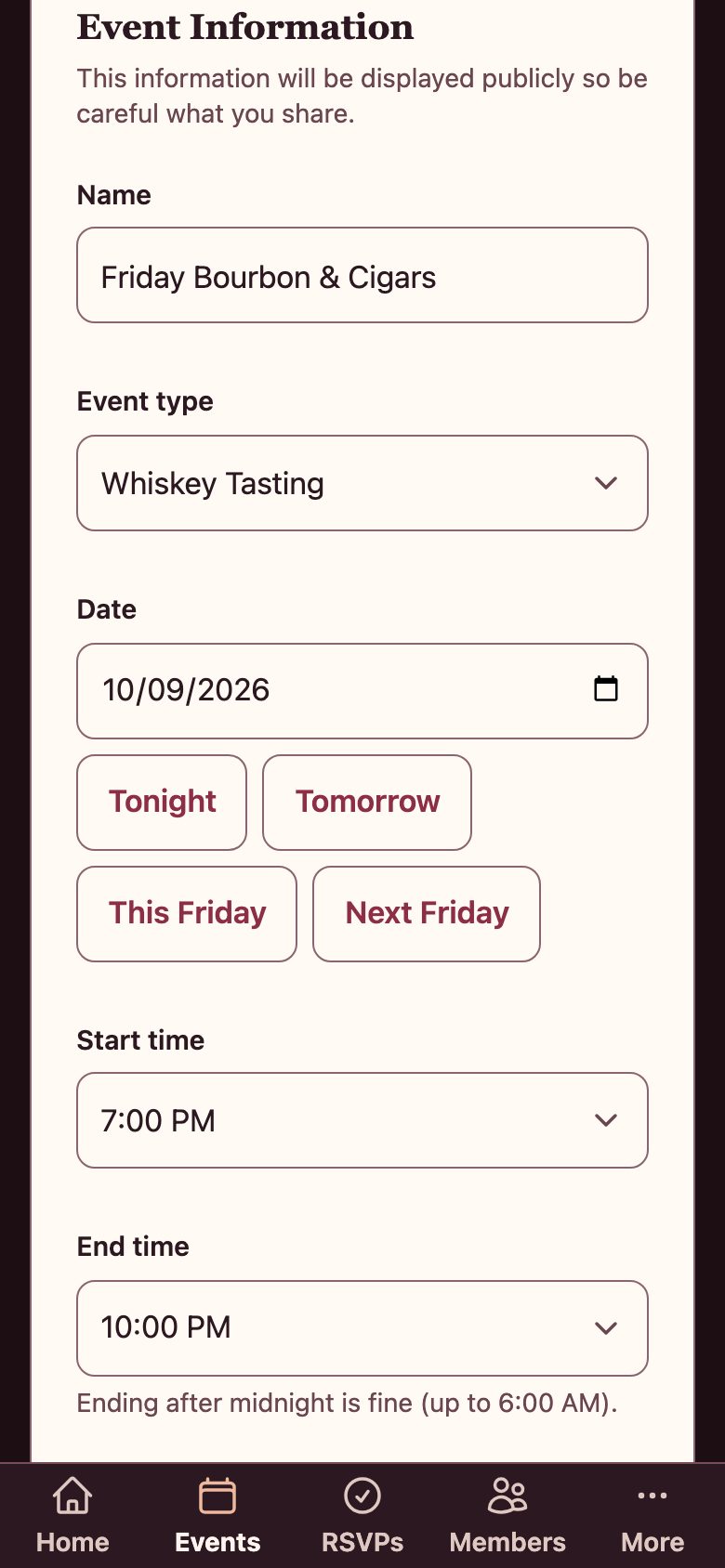
Step 1 of 8
Create an event
Add the details once: name, date, time and capacity. Pick a start time and we suggest the end.
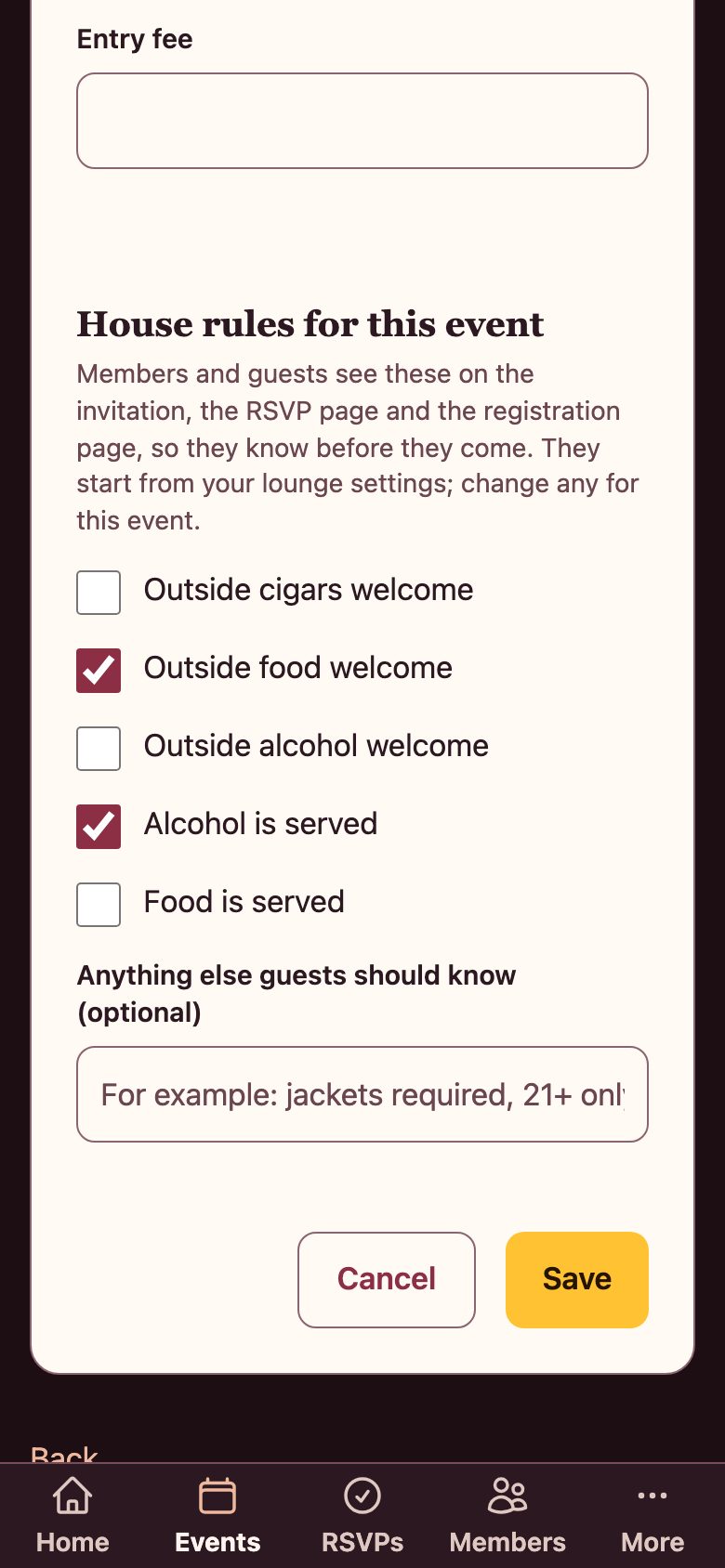
Step 2 of 8
Set the house rules
Choose the rules for this event, like outside cigars or outside food. Members and guests see them in the invitation and on the RSVP page, so they know before they come.
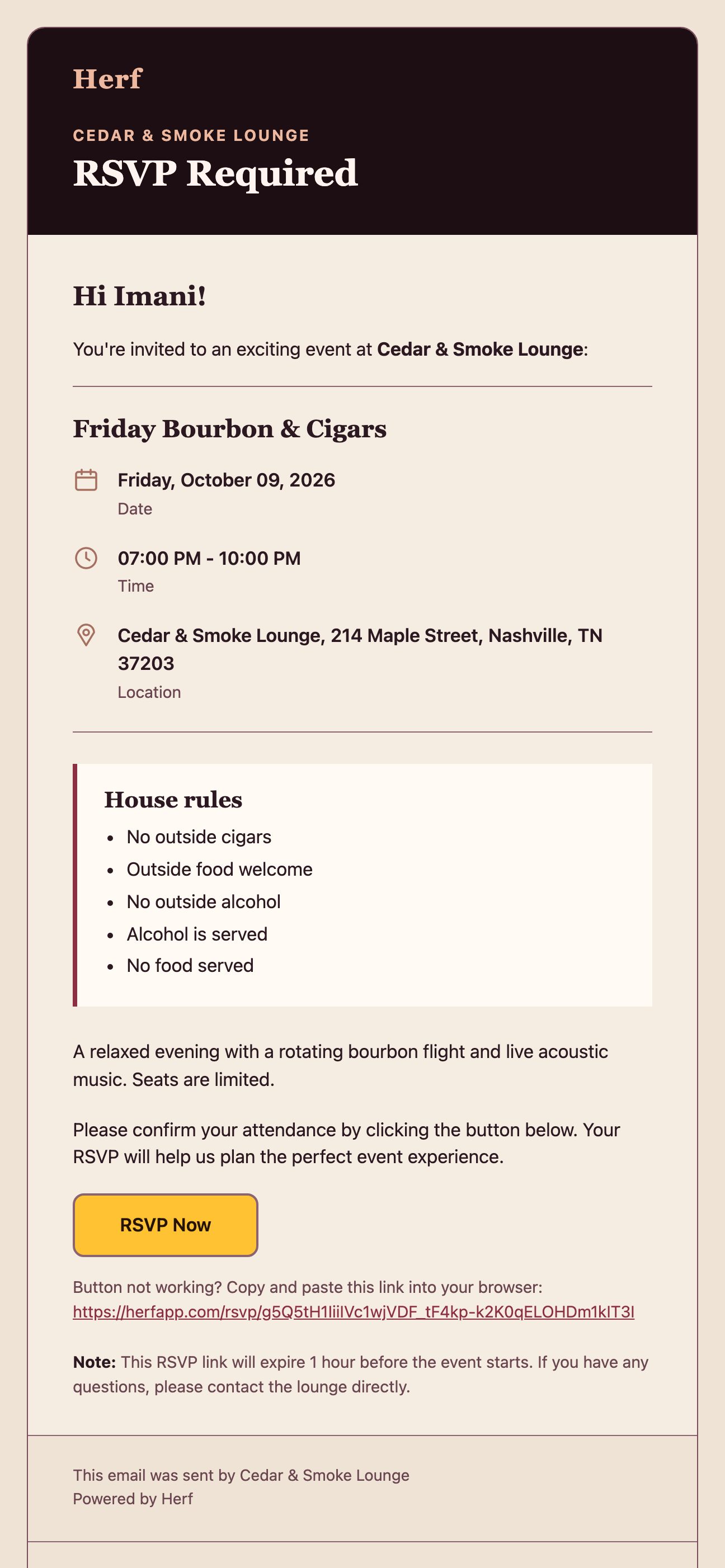
Step 3 of 8
Members get an invitation
Members who opted in get an email with the event details and a button to RSVP.
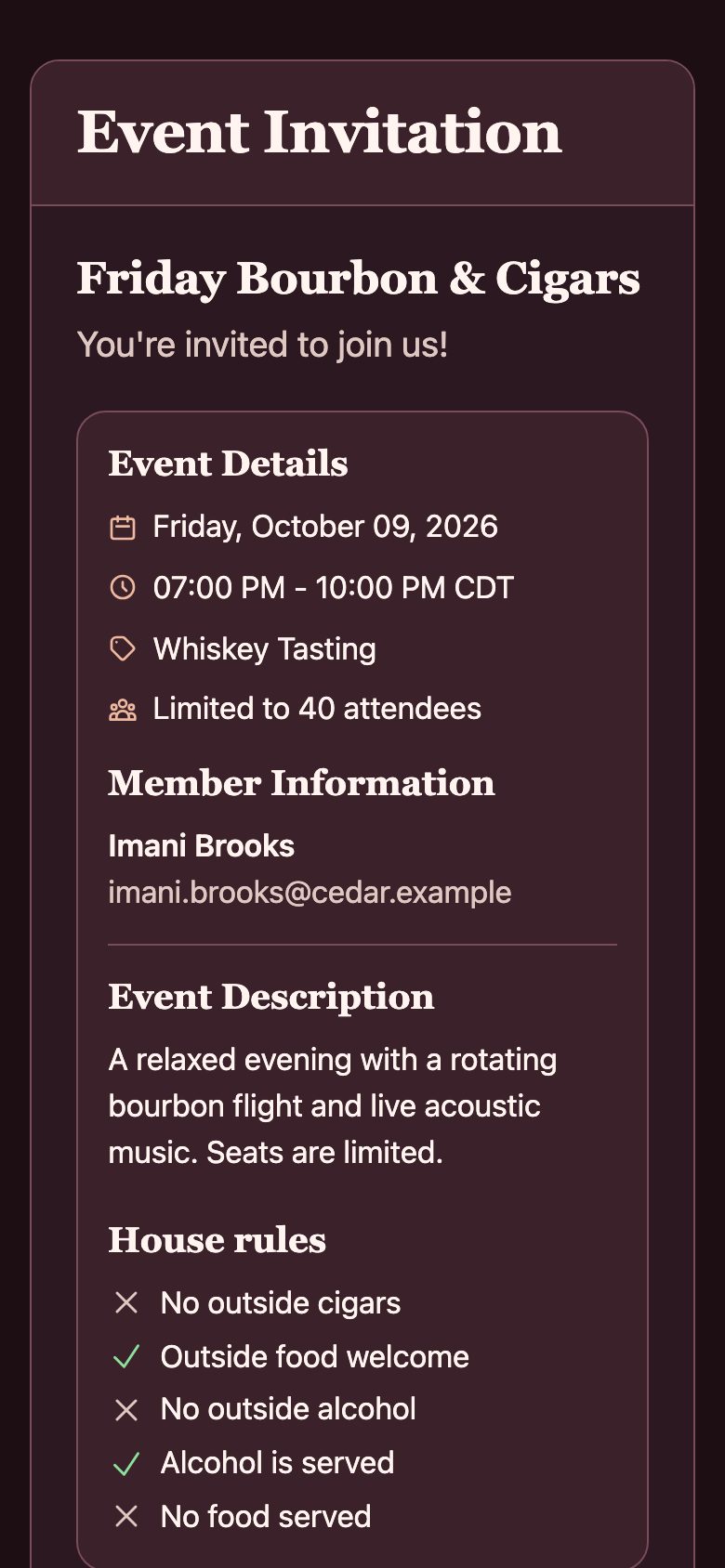
Step 4 of 8
Members answer in one tap
They say yes or no and how many guests, right from the link in the email. No app to download and no account to create.
Step 5 of 8
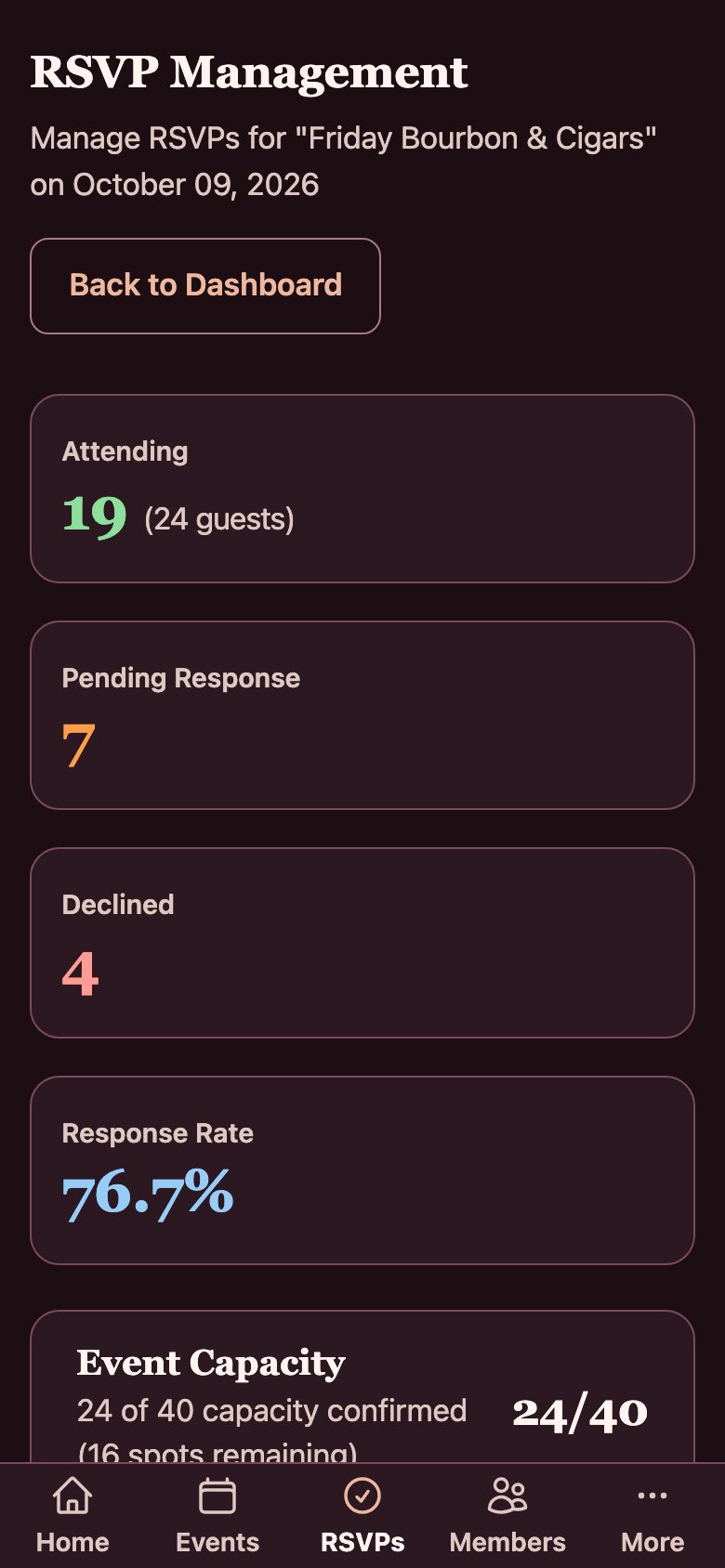
See who is coming
Your RSVP page shows who is attending, who has not answered, and how many spots are left.
Step 6 of 8
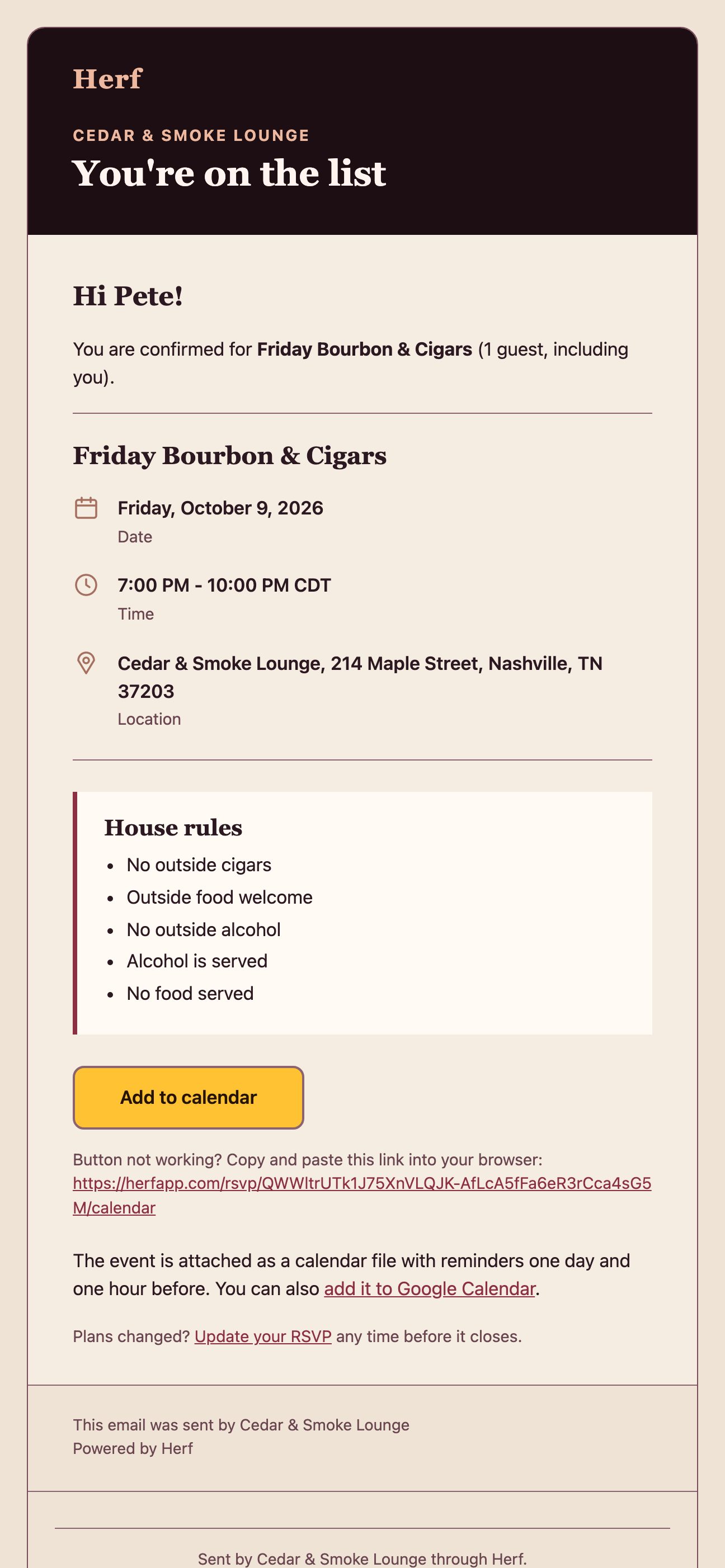
They add it to their calendar
When a member says yes, we email a confirmation with a calendar file, so they can add the event, with reminders, to their calendar.
Step 7 of 8
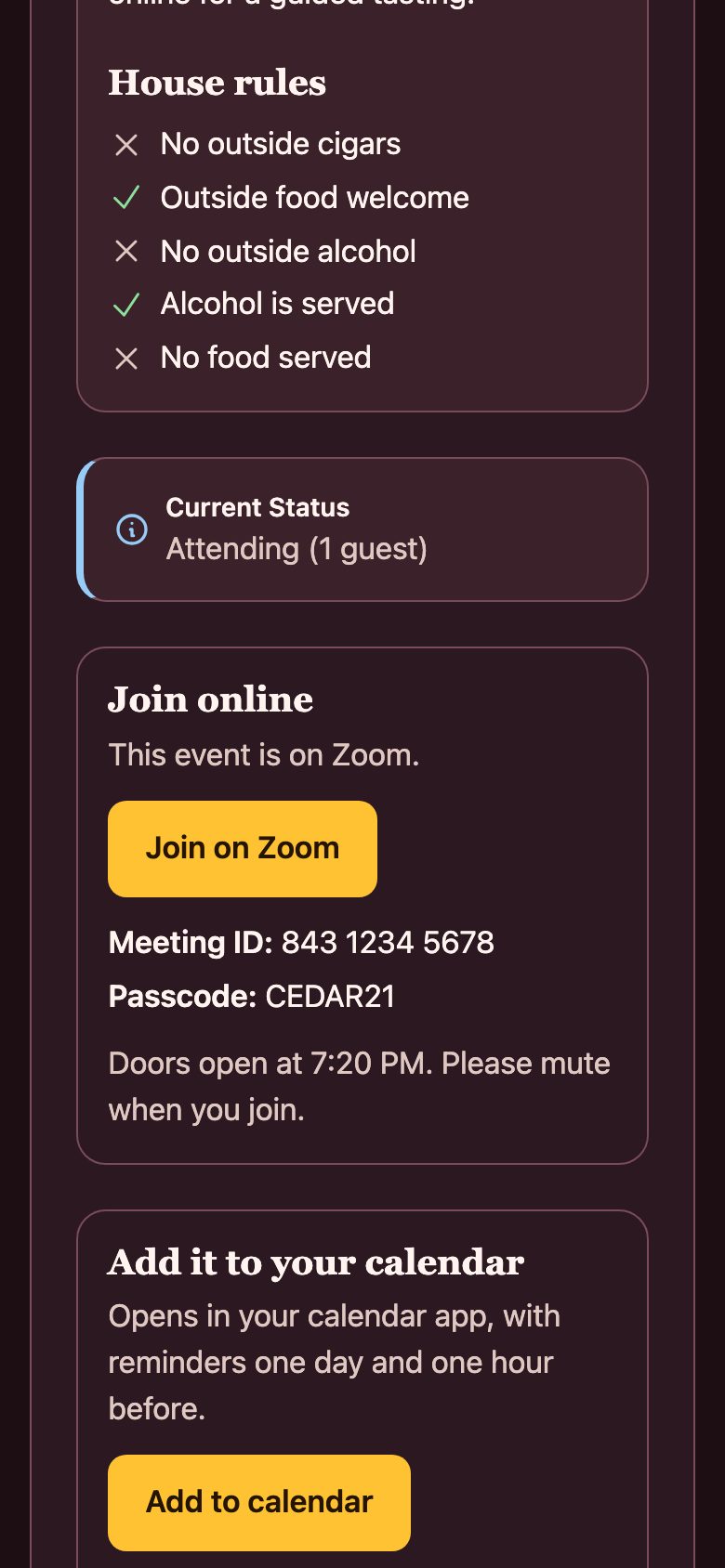
Run it online
For an online event, add the platform, link, meeting ID and passcode. Only members who say yes see them, on their RSVP page and in their emails.
Step 8 of 8
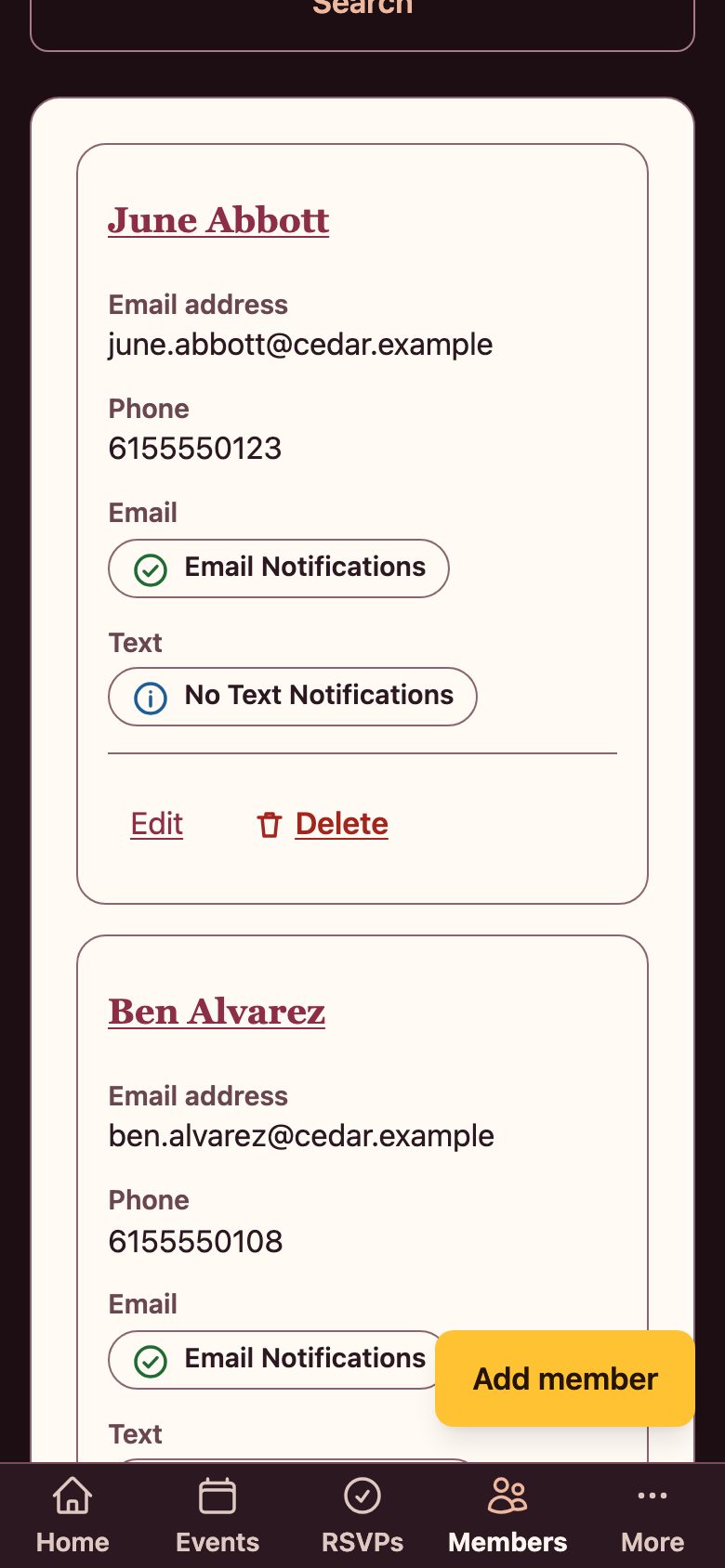
Keep your members organized
Your member list shows who you can email or text, and who has unsubscribed.
Features
Everything in one dashboard
-
Events
Create and update events, with a date, time, capacity and details.
-
RSVPs
Members reply from a link in their email, add the event to their calendar with reminders, and you see who is coming.
-
Member management
Keep your member list in one place and see who can be contacted.
-
Special offers
Create offers and share them with your members.
-
Email notifications
Automatic emails to members who opted in, with an unsubscribe link in each one.
-
Public event pages
Your events and offers can appear on the public Explore page.
-
House rules on every event
Set rules like outside cigars or outside food for each event, so members and guests know before they come.
-
Online events
Host on Zoom, Google Meet or Teams. Members who say yes get the link, meeting ID and passcode in their email and on their RSVP page.
Pricing
Choose the right plan for your lounge
Corona
$29 /month
$290 /year (about $24/month)
Perfect for intimate lounges building their community.
- Up to 300 members
- Up to 8 events per month
- Email notifications
- 2 reminder messages per event
- Calendar invites with reminders
- Two Special Offers
- Email support
Toro
$79 /month
$790 /year (about $66/month)
For busy lounges that want no limits and faster support.
- Unlimited members
- Unlimited events
- High-volume email allowance
- 2 reminder messages per event
- Calendar invites with reminders
- Unlimited Special Offers
- Priority email support: reply within 1 business day
Why Toro?
- No cap on members or events
- Unlimited special offers
- A larger monthly email allowance for busy calendars
- Priority support with a reply within 1 business day
Annual plans are billed once a year, with a full refund within 30 days of an annual charge. Prices exclude any taxes that apply.
Frequently asked questions
What is HERF and how can it help my lounge?
HERF is a comprehensive management platform designed specifically for cigar lounges. It helps you manage memberships, create and promote events, send email notifications to members, and share special offers—all from one intuitive dashboard. HERF streamlines your operations so you can focus on providing an exceptional experience for your members.
How do email notifications work?
When you create or update an event or special offer, HERF automatically sends email notifications to your active members who have opted in to receive communications. Members receive timely reminders about upcoming events (one week before and one day before), ensuring better attendance and engagement. You have full control over which members receive notifications.
Can I manage RSVPs for my events?
Yes! HERF includes a complete RSVP management system. When you create an event that requires RSVPs, each member receives a unique RSVP link via email. They can easily confirm attendance, decline, or update their guest count. You can track responses in real-time from your dashboard and see detailed attendance metrics.
What's the difference between the Corona and Toro plans?
The Corona plan ($29/month or $290/year) is perfect for growing lounges with up to 300 members, 8 events per month, and 2 special offers. The Toro plan ($79/month or $790/year) is designed for established lounges with unlimited members, unlimited events, unlimited special offers, a high-volume email allowance, and priority support with a reply within 1 business day. Both plans include email notifications, calendar invites, and automated event reminders.
How do automated event reminders work?
With the Corona and Toro plans, HERF automatically sends reminder emails to your members at two key times: one week before the event and one day before the event. These reminders include all event details, RSVP status, and links to update their response. This ensures maximum attendance without any manual effort from you.
Can members opt out of notifications?
Yes. Lounge owners can manage notification preferences for each member through the dashboard. If a member requests to opt out of email notifications, you can easily update their preferences with a single click. This ensures compliance with communication preferences while maintaining member satisfaction.
What does annual billing and the refund policy look like?
Annual plans cost ten months of the monthly price, so you get two months free, and are billed once a year. If you change your mind, we will refund an annual charge in full within 30 days of the charge. After that you can cancel any time and the plan simply will not renew.
What is the founding-lounge offer?
Our first 10 lounges can join at 35% off for as long as their subscription stays continuous. In return we ask for a short feedback call each month for the first three months, and we only quote a lounge by name with its written approval. You enter the code in the promo box at checkout. The offer ends on the date shown on the pricing section or when all 10 places are taken, whichever comes first.
Is there a limit on how many emails I can send?
The Corona plan is limited in practice by its member and event caps. The Toro plan includes a fair-use allowance of 15,000 member emails per calendar month. We warn you in your dashboard and by email at 80% and 95% of the allowance. If you reach it, new-event and special-offer announcements pause until the next month, but RSVP confirmations, event changes and cancellations, and last-minute reminders are never paused. If you need more, ask us from the Help page.
Is there a setup fee or contract?
No setup fees and no long-term contracts! You can subscribe month to month and cancel anytime, or pay annually and save two months. We believe in earning your business every month by providing exceptional value and service.
How do I get started?
Getting started is easy! Simply sign up for an account, choose your plan (Corona or Toro), complete your lounge profile with photos and details, and start adding your members and events. Our intuitive interface makes it simple to get up and running in minutes.
What kind of support do you offer?
All plans include email support with responses within 24 hours on business days. Toro plan subscribers receive priority email support with faster response times. We're committed to helping you succeed and are always here to answer questions or help troubleshoot any issues.